 Penerbit KBM Kini Menjadi Rumah Para Penulis Nusantara: Usung Transparansi, Layanan Egaliter, dan Fasilitas Fantastis
  Mitra10 Kini Hadir di MERR Surabaya, Perluas Akses Kebutuhan Renovasi Rumah
  LRT Jabodebek Hadirkan Hiburan Musik Gratis di Stasiun, Perkaya Pengalaman Perjalanan Masyarakat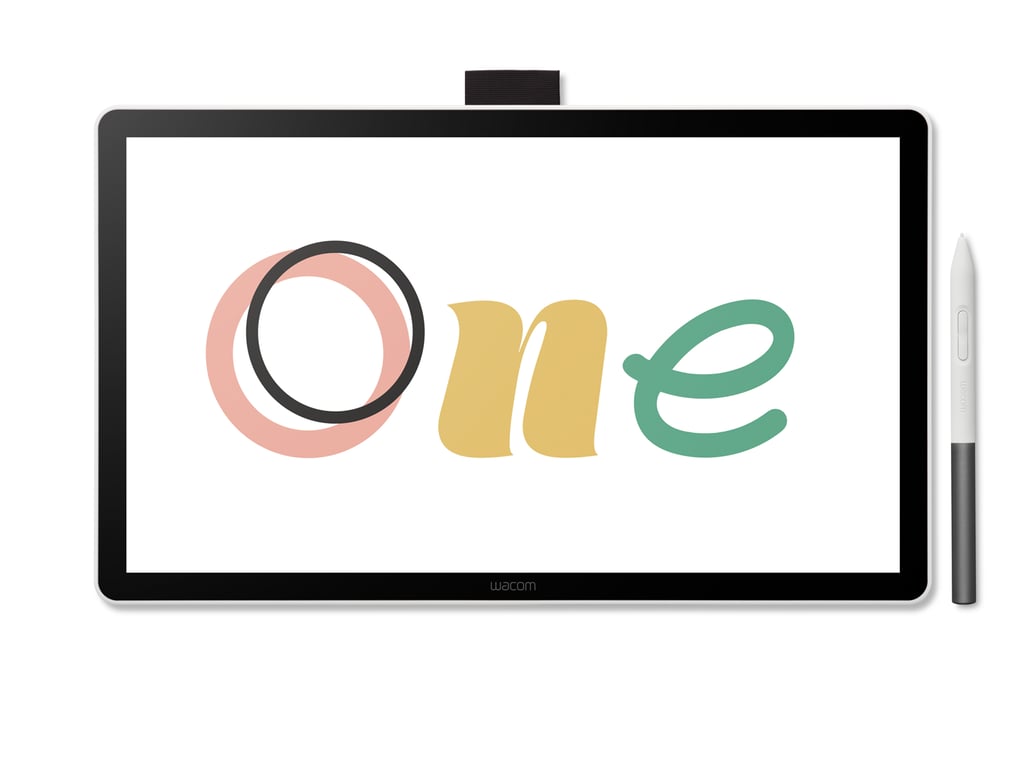
Discover your creative passion. With its 14-inch screen, lightweight design, and responsive pen performance, the new Wacom One 14 makes it easy to begin your creative journey.
Tokyo,
Japan – September 17, 2025 – Wacom today announced the Wacom One 14, the latest
pen display in the Wacom One Series. Designed as an inviting first step into
digital creativity, the Wacom One 14 connects to a PC, Mac, or Chromebook and
gives creative beginners a balance of ease, performance, and value. It is ideal
for aspiring artists, hobbyists, and visual thinkers to draw, sketch, edit
photos, annotate, or explore new creative possibilities.
A
Comfortable Start to Digital Creativity
The
Wacom One 14 features a 14-inch full HD IPS display with anti-glare and anti-fingerprint
coating to reduce
reflections on the screen, allowing users to focus on their creative work. It also uses
direct bonding to minimize parallax, providing a natural, paper-like drawing
feel. The larger screen gives creative beginners ample space for drawing,
sketching, and illustration, while still keeping the pen display compact and
lightweight at 750 grams, making it easy to carry or set up. The display
ensures dependable color reproduction for artwork, photos, and practical tasks.
Wacom’s
pen technology, built on more than 40 years of expertise, enables a comfortable
and reliable pen experience with low latency, and natural tilt
recognition—helping first-time digital creators enjoy a natural drawing
experience from the start. The included Wacom One Standard Pen is battery-free,
lightweight, and equipped with two customizable buttons. The Wacom One 14 is
also compatible with third-party pens from trusted brands such as Staedtler,
LAMY, and Dr. Grip, giving users the freedom to choose the grip and style they
prefer.
Simple
One-Cable Connectivity
Setup
is straightforward with a single USB-C cable when the computer supports
DisplayPort Alt Mode or Thunderbolt 3/4, delivering power, video, and data so
users can get started quickly. For computers lacking a compatible USB-C port,
the optional Wacom Converter enables connection with ports for HDMI, USB-C, and
power. The Wacom One 14 works seamlessly with Windows 10 or later, macOS 13 or
later, and Chromebook.
Jumpstart Your Creativity
The
Wacom One 14 comes with a versatile bundle of creative apps, letting users
start creating right away. Clip Studio Paint Pro, Magma, and Concepts support
drawing and comics. Passpartout 2 adds a fun, interactive art experience. Foxit
PDF Editor supports study, work, and everyday tasks, while Skillshare provides
access to online lessons from creative professionals. Together, these tools
give creative beginners and hobbyists the freedom to explore their creativity
from day one.
“The
Wacom One 14 is designed for people taking their first steps into digital
drawing and illustration,” said Koji Yano, Senior Vice President, Creative
Experience Unit at Wacom. “By combining a larger screen and trusted pen
technology in a way that makes it easy for creative beginners to get started,
it gives users the confidence to enjoy creating from day one.”
Availability
The
Wacom One 14 will be available this fall through Wacom’s eStore and select
retailers worldwide.
To
learn more, visit: https://www.wacom.com/products/pen-displays/wacom-one
You may also like
-
MOLD Manila Highlights Ultraformer III for Non-Surgical Facial Lifting and Skin Tightening
-
Casino Plus makes history with Evolution’s first-ever offline collaboration in the Philippines
-
Call for Photo Entries for ‘TPSW 2026’, Celebrating Volunteerism in Asia
-
Cebuana Lhuillier Foundation Supports CBCP’s Church Heritage Efforts Through Proyekto Custodia
-
Keepital Plugged In at PSECE 2026